Laser Cutting DXF Files in South Africa: What You Need to Know Before You Send Your Order
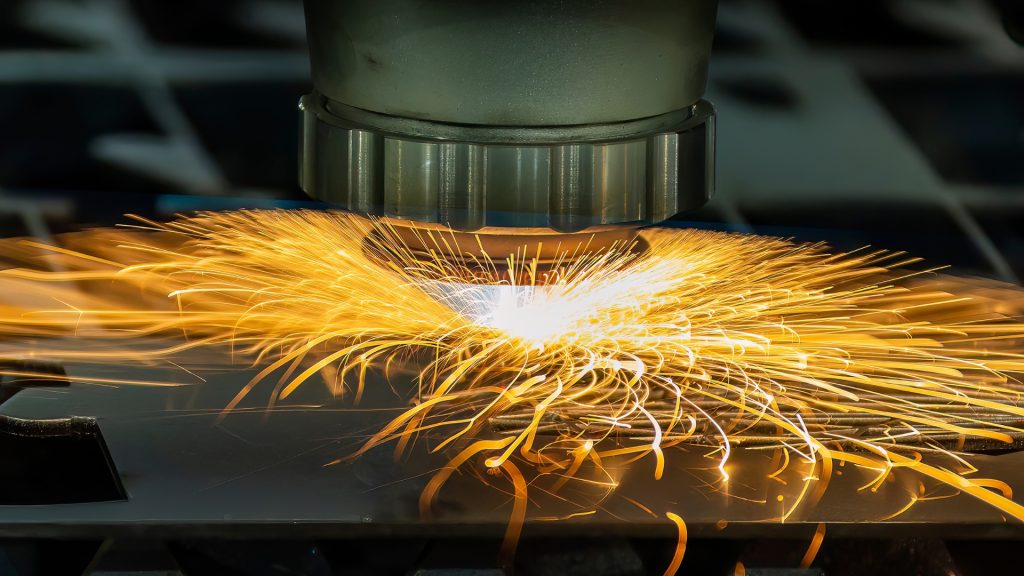
If you have been looking into laser cutting services in South Africa, you have almost certainly come across the term DXF file. It is the standard file format used by CNC laser cutting machines, and getting it right before you send your order is the single most important thing you can do to ensure your parts come out exactly as intended. This guide explains what a DXF file is, why it matters for laser cutting, how to prepare one correctly, and what to do if you do not have one yet. What Is a DXF File? DXF stands for Drawing Exchange Format. It is a file type originally developed by Autodesk as a way to share CAD drawings between different software applications. For laser cutting purposes, a DXF file contains the precise vector geometry that tells the laser cutting machine exactly where to cut, what shapes to produce, and the exact dimensions of every line, arc, and curve in your design. Unlike a photograph or a standard image file, a DXF file contains mathematical data rather than pixels. This means the geometry scales perfectly regardless of size and the laser cutting machine can follow the cutting path with complete accuracy. It is the closest thing to handing the machine a set of engineering drawings it can read and act on directly. When you submit a DXF file to a laser cutting service like 1Laser in Isando, Kempton Park, the file is loaded directly into the cutting software, nested onto the material sheet, and sent to the machine without any manual interpretation of your design. What is in the file is what gets cut, which is both the power and the responsibility of working with DXF. Why DXF Is the Preferred Format for Laser Cutting Laser cutting machines are CNC tools, meaning they follow digital instructions precisely. The quality of those instructions determines the quality of the output. DXF is the preferred format for laser cutting in South Africa and internationally for several reasons. It is universally compatible. Almost every laser cutting machine on the market can read a DXF file regardless of which software was used to create it. Whether your design was drawn in AutoCAD, SolidWorks, Fusion 360, LibreCAD, or any other CAD application, a correctly exported DXF file will work with any modern CNC laser cutter. It is dimensionally accurate. Because DXF contains true vector geometry rather than an approximation of shapes, the dimensions in your file are the dimensions that get cut. A 50mm hole in your DXF file will be a 50mm hole in the finished part, subject only to the kerf width of the laser beam. It is easy to nest and process. Laser cutting software can take multiple DXF files, arrange them efficiently on a sheet of steel to minimise material waste, and generate the cutting program automatically. This makes the quoting and production process faster and more cost-effective for both the service provider and the customer. What Makes a Good DXF File for Laser Cutting Not all DXF files are created equal, and a poorly prepared file is one of the most common causes of delays, errors, and unexpected costs in laser cutting orders. Understanding what makes a file ready to cut saves you time and money before the order even reaches the machine. Closed Geometry Every shape in your DXF file that represents a cut profile needs to be a closed loop. This means the lines, arcs, and curves that make up each shape must connect to one another without gaps or overlaps. A line that ends one tenth of a millimetre short of where the next line begins looks visually complete on screen but creates an open profile that the cutting software cannot process as a closed shape. Open profiles are one of the most common file errors and one of the most frustrating because they are often invisible at normal zoom levels. Checking for open geometry before submitting your file is always worth doing, particularly if your design includes complex curves or shapes with many nodes. Correct Scale Your DXF file must be drawn at a 1:1 scale in millimetres. This is the standard for laser cutting in South Africa and means the dimensions in the file represent the actual dimensions of the finished part. A file drawn in centimetres or inches that is not converted before submission will produce parts that are either ten times too large or significantly undersized depending on the unit mismatch. Always confirm the units your CAD software is set to before exporting your DXF file, and always state the intended dimensions of the part when submitting your order so the laser cutting service can verify the file is correctly scaled before cutting begins. No Duplicate Lines Duplicate lines sit directly on top of one another in the file and are completely invisible on screen. When the cutting software processes the file, it reads each line as a separate cutting instruction, which means the laser cuts the same path twice. On thin material this can cause burning or distortion along the edge. On thicker material it wastes time and can affect edge quality. Duplicate lines most commonly occur when copying geometry in CAD software or when converting from one file format to another. Running a cleanup or purge command in your CAD application before exporting will remove most duplicates automatically. Appropriate Detail for the Material Thickness The level of detail that can be accurately reproduced by a laser depends on the thickness of the material being cut. Very fine detail, narrow slots, and small holes that work perfectly in thin sheet steel may not be achievable in thicker material where the laser kerf and heat-affected zone become more significant factors. As a general rule, the minimum slot width or hole diameter in your design should be at least equal to the material thickness. If your design includes very fine detail and you are unsure whether it is achievable in your chosen material, contact the